How St. Vincent Ferrer School Stopped Running IT Support Out of an Inbox
A school-branded Help Desk Work Order System. Teachers report a technology problem in under 60 seconds, and IT sees what is urgent, what keeps breaking, and where support and budget are needed.
The Challenge
Before the system, Lisa Polajenko, IT Director at St. Vincent Ferrer Catholic School, was managing technology support the way most school IT departments do: through a flood of emails, hallway conversations, sticky notes, and phone calls.
The scale makes that no small task. The school has 430 students on personal devices, 57 teachers and staff with their own devices, and classroom display boards throughout the building. Every request had to be sifted by hand, with no categories, no priority flags, and no way to tell a minor inconvenience from a classroom-stopping emergency.
- Requests arrived everywhereEmail, sticky notes, phone calls, and hallway conversations.
- Urgency was invisibleRoutine questions and classroom emergencies entered the same queue.
- Patterns stayed hiddenDevice and classroom issues were managed from memory rather than data, so budget decisions were too.
The Solution: One Request, One Record
We built a Help Desk Work Order System around how St. Vincent Ferrer's staff actually work. Teachers submit a ticket from any device, with no technical knowledge required. Every request is categorized, prioritized, logged, and tracked from submission to resolution.
Teacher Submits
A short, school-branded form that works on any device, done in under a minute.
System Prioritizes
Low, Normal, High, or Critical brings urgent issues to the front of the line.
IT Resolves & Records
Every request is tracked through resolution, with an email confirmation to the teacher.
The Record Gets Smarter
Recurring patterns inform purchasing, device refresh cycles, and staff support.
A Form Teachers Actually Use
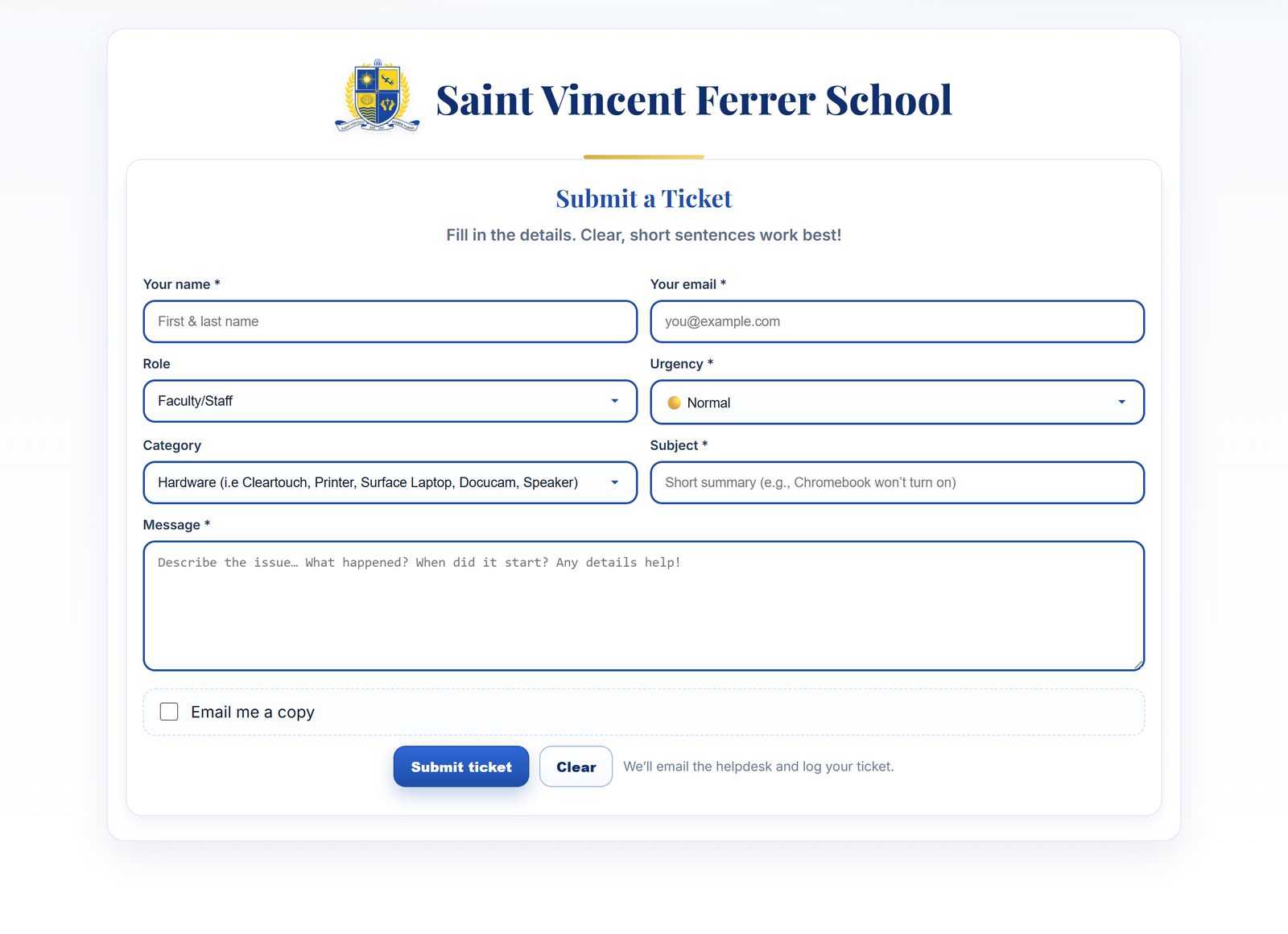
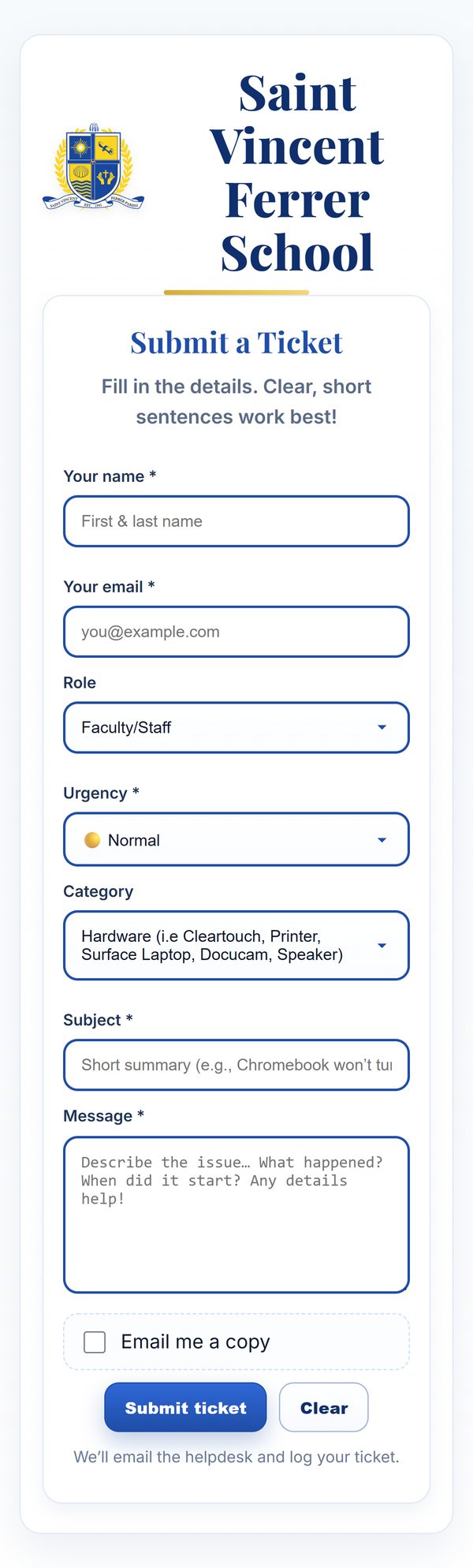
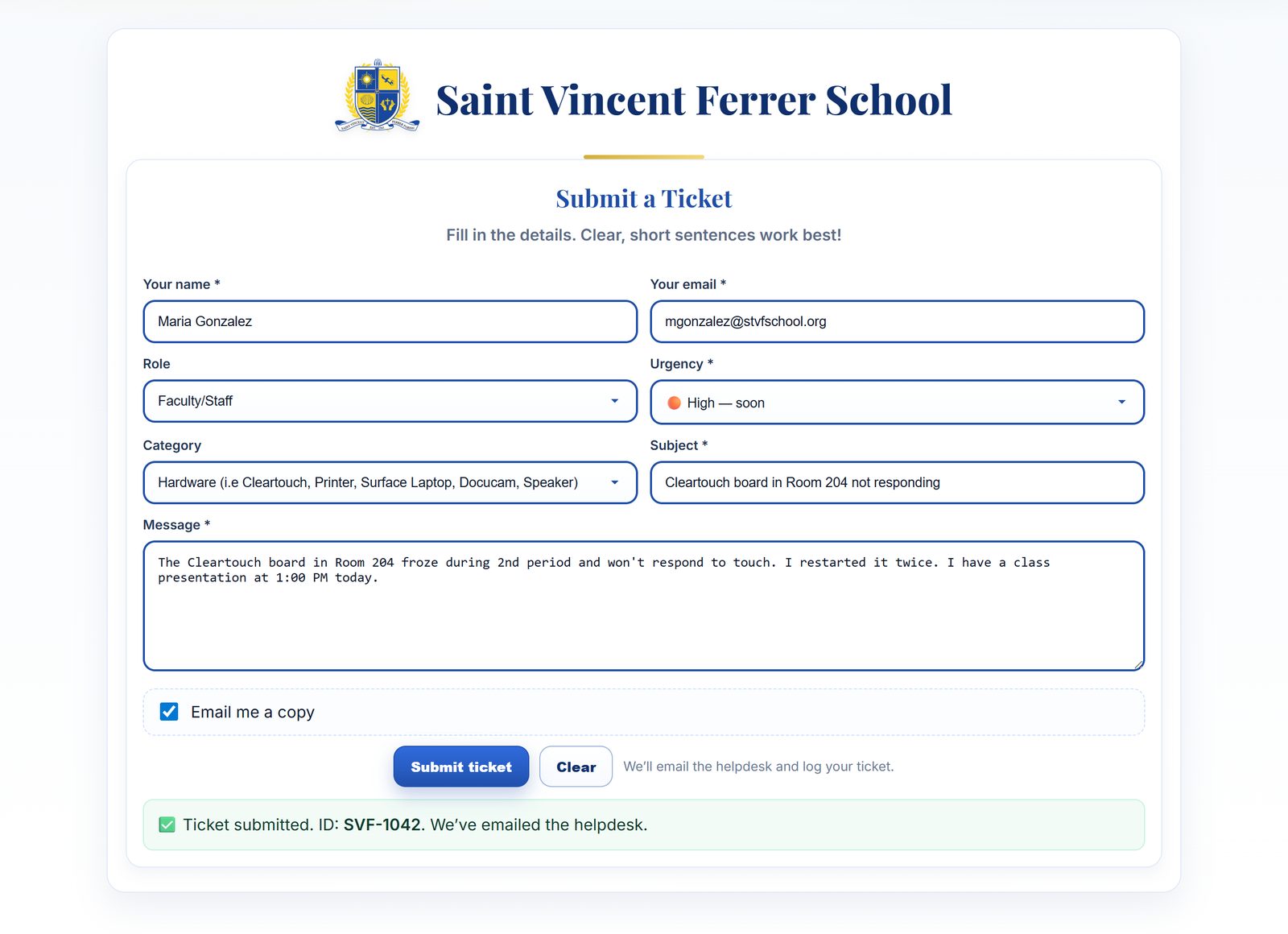
The form carries the school's own crest, colors, and voice, so it feels like part of St. Vincent Ferrer rather than a third-party tool. Name, role, urgency, category, and a short description: that's it. It works just as well on a phone, since teachers often report a problem right from the classroom.
Urgency You Can See at a Glance
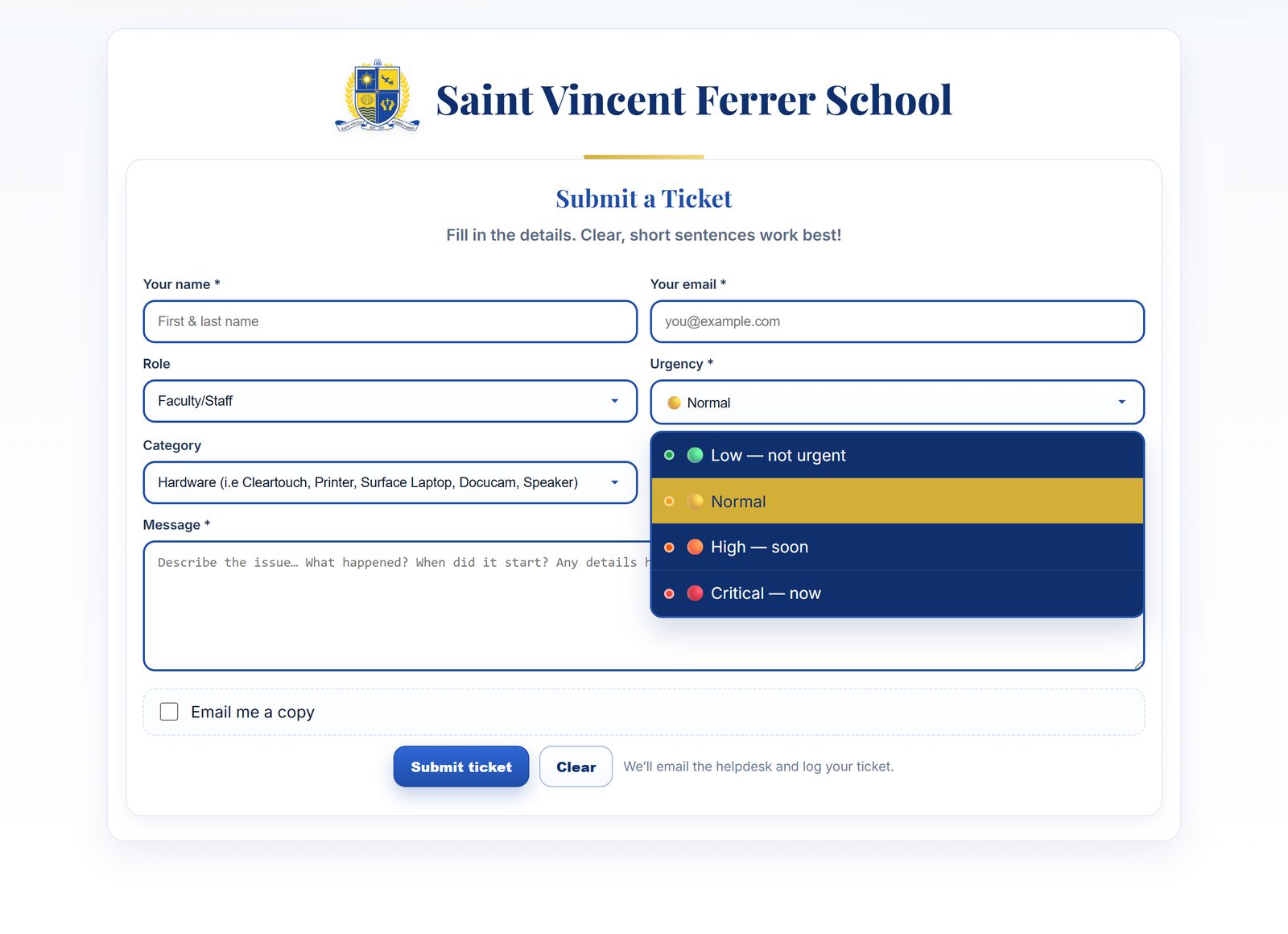
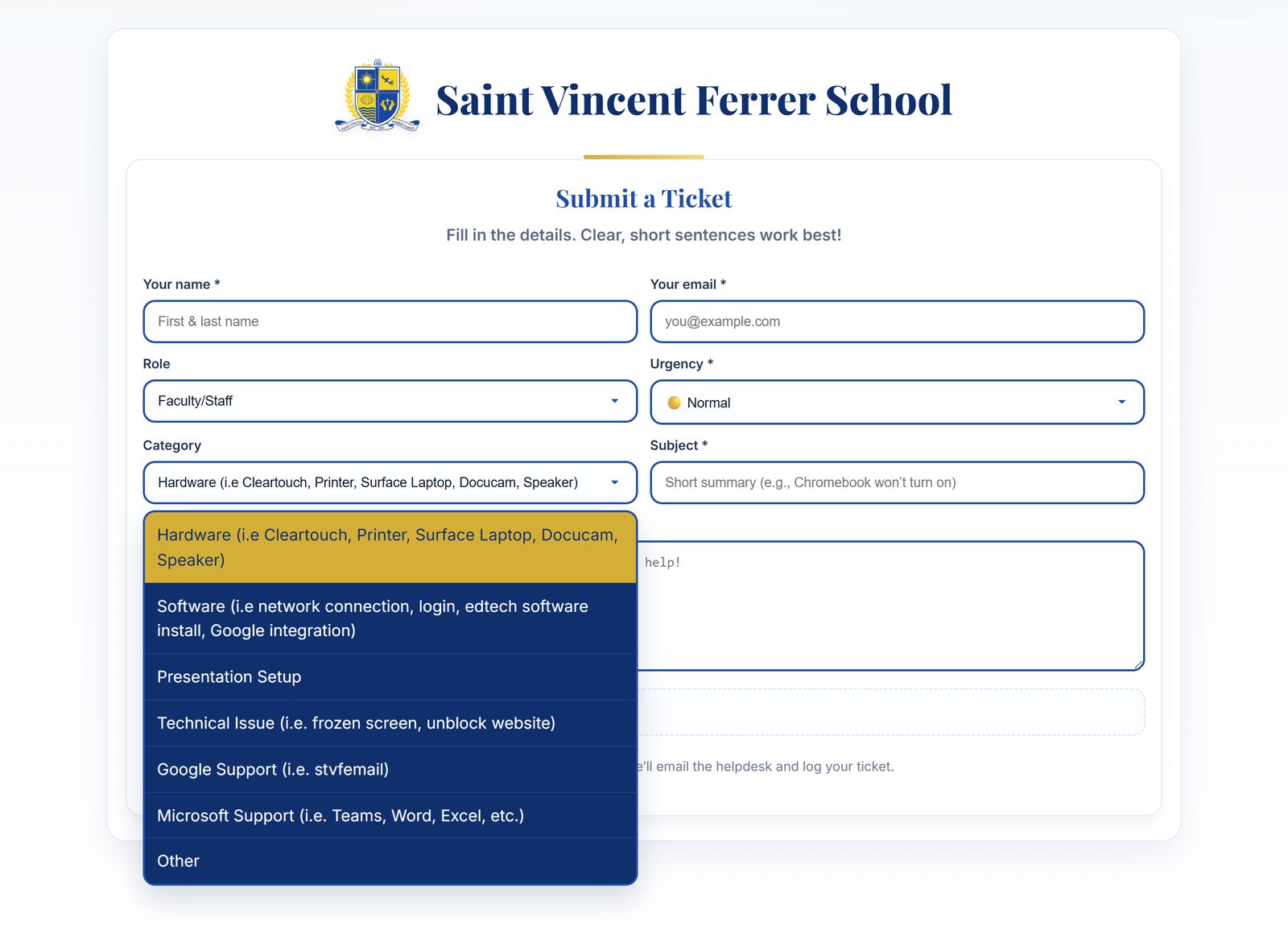
A four-tier, color-coded urgency scale means a frozen classroom board before a 1:00 PM presentation never sits behind a password reset. Categories built around the school's real equipment (Cleartouch boards, printers, Surface laptops, Chromebooks, Google and Microsoft accounts) sort every ticket into the right bucket automatically.

Since implementing our new Help Desk Work Order System at our K–8 school, it has become an invaluable part of our technology infrastructure. As the IT Director, I now have a clear, organized way to track not only individual support requests, but also larger patterns in how our devices are performing.
Teachers submit work orders directly, which allows us to identify recurring Chromebook issues such as batteries losing charge or trackpads failing. This data has been essential in helping us make informed decisions about device refresh rates and long-term planning, rather than relying on anecdotal information.
The system also helps us identify classrooms or teachers who may need additional technology support or professional development, allowing us to respond proactively and equitably. Overall, the Help Desk has streamlined communication, improved response time, strengthened accountability, and enhanced our ability to support teaching and learning through reliable technology.
What's Under the Hood
Ticket Submission Portal
Name, role, issue type, priority, and details, done in under 60 seconds.
Four-Tier Urgency
Color-coded triage so critical issues never get buried.
Pattern & Trend Tracking
Recurring device failures add up over time. Noise becomes signal.
Full Resolution Logging
Every ticket leaves a documentation trail. Nothing falls through the cracks.
Branded, Accessible UI
School colors, keyboard navigation, and automated email confirmations.
Secure Backend
API with rate limiting, tenant identification, and required-field validation.
Where the School Landed
Manual triage was the hidden tax on Lisa's day. Locating, logging, categorizing, prioritizing, and following up on every request was consuming an estimated 17 hours every week. Now that work takes about two.
| Metric | Before | After |
|---|---|---|
| Manual triage time per request | ~10 minutes | <1 minute |
| Weekly admin overhead | ~17 hours | ~2 hours |
| Response time, urgent issues | 2–3 days | Same day |
| Back-and-forth email volume | High | Reduced 80%+ |
| Device failures caught proactively | None | Ongoing |
| Budget decisions based on data | None | Every cycle |
| Hours saved per school year | — | 450+ hours |
Want This for Your School?
LexAi builds school-branded help desks like this one, set up around your devices, your staff, and the way your school already works.
Book a Call →